
Mar 27, 2025
We're excited to roll out a major update to the Administrators section of your dashboard, giving you more control over team access and permissions.
 Advanced Role & Permission System
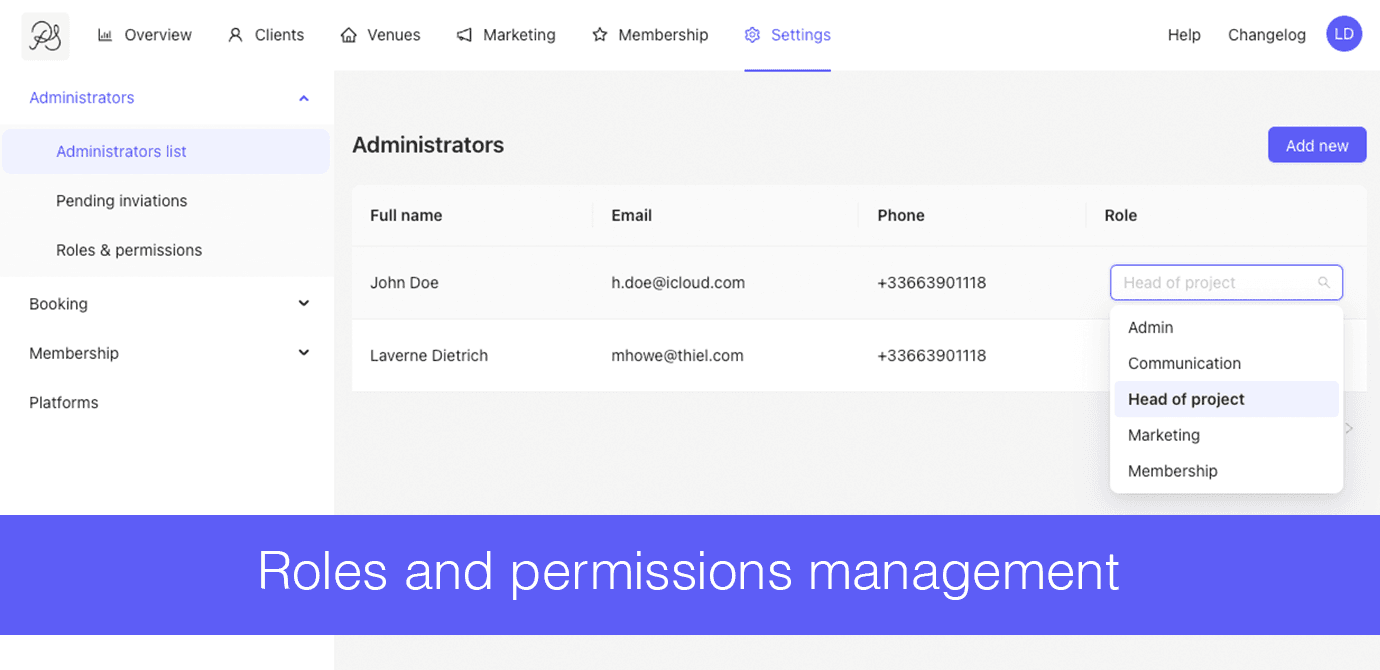
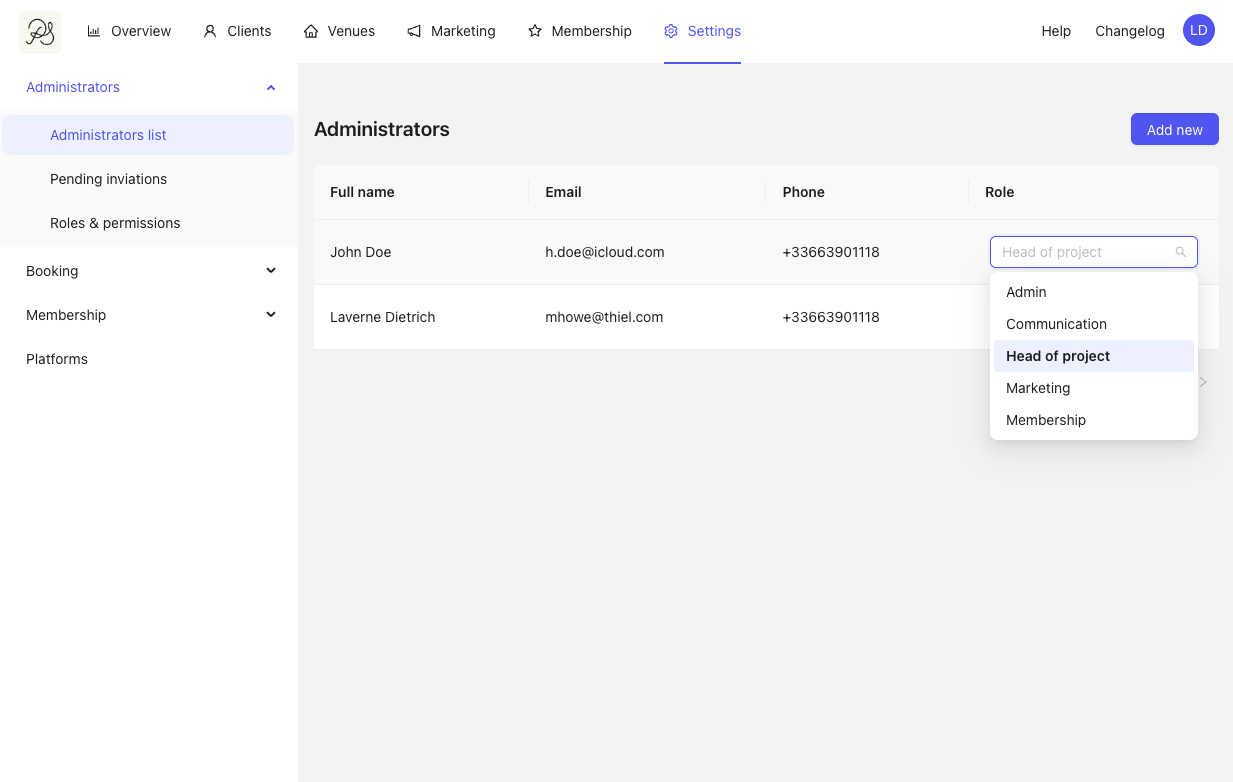
You can now assign precise roles to each administrator and tailor what they can or cannot do in the dashboard.
 Assign a Role to an Administrator
To update an admin’s role, head to:
Settings → Administrators → Administrators list
 View Role Permissions
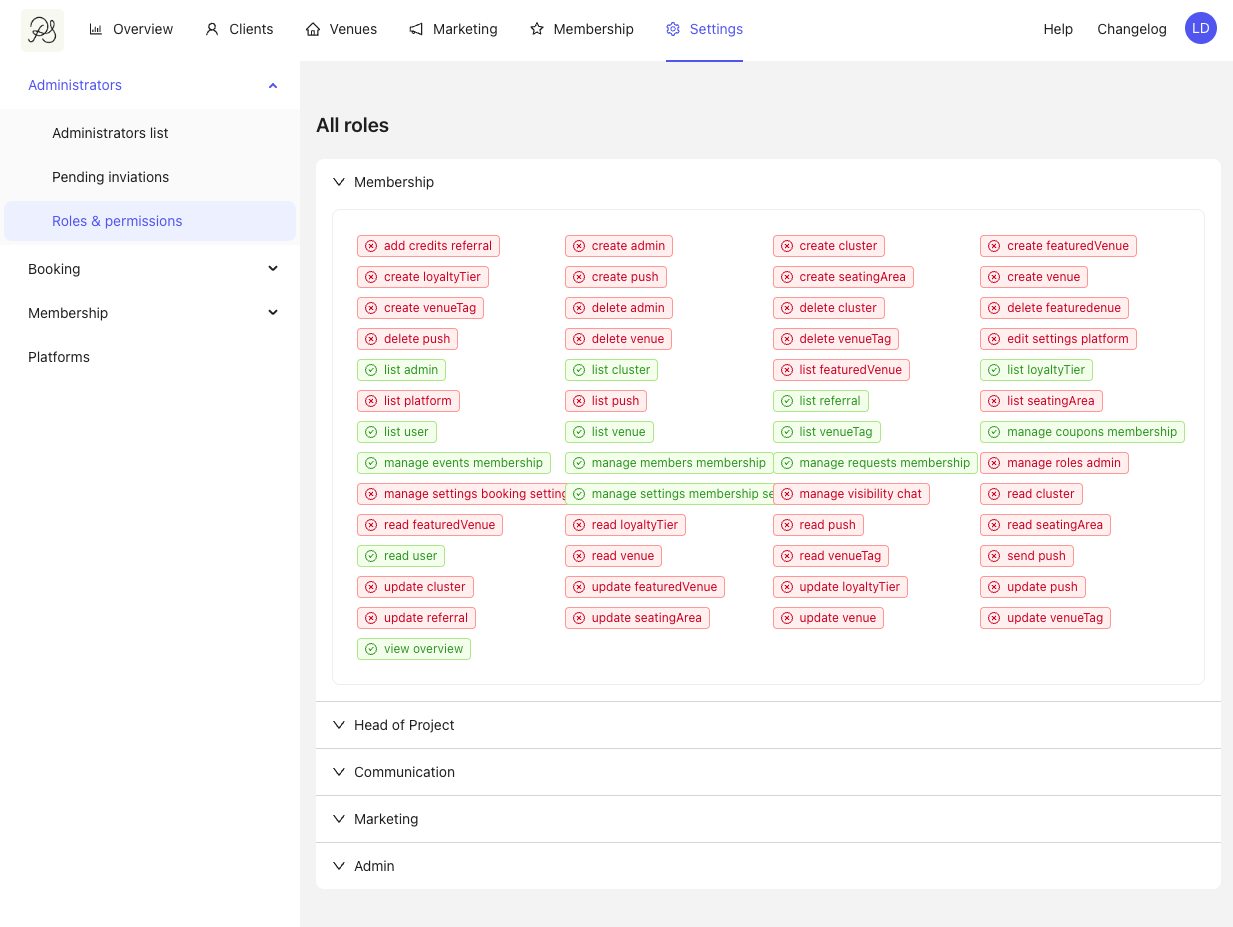
To check the permissions linked to each role, go to:
Settings → Administrators → Roles & permissions
Each role (e.g., Membership, Marketing, Admin…) now has a clear list of allowed actions.
 New – Admin Invitations Page
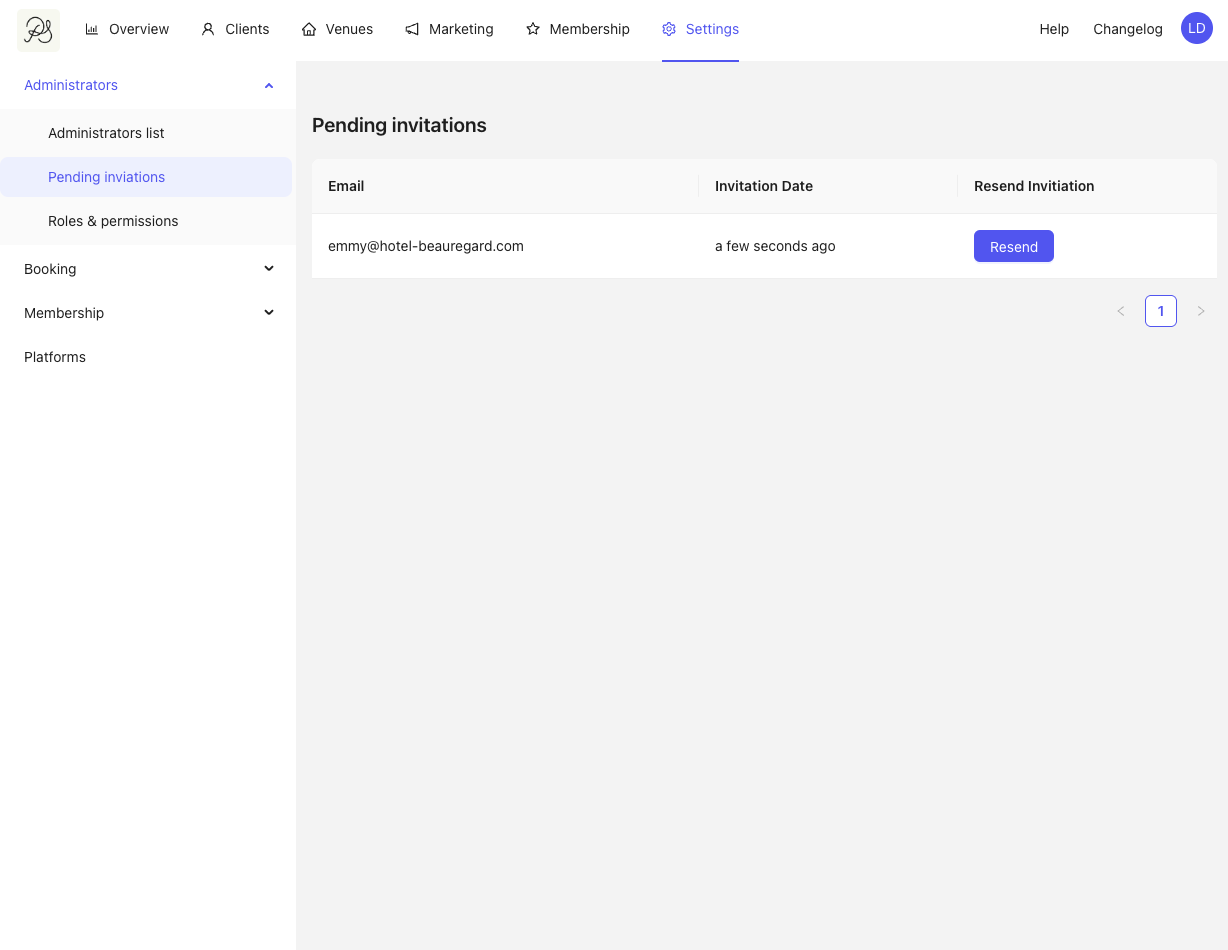
We’ve added a dedicated page to track pending invitations sent to new administrators.
Resend an invite if it hasn’t been received
See at a glance who has joined and who hasn’t
Access it via:
Settings → Administrators → Pending invitations
This update gives you full visibility and control over who can access your dashboard, and what they can do once inside. 